
How to open an online store with ShopToWay, step by step
October 27, 2026
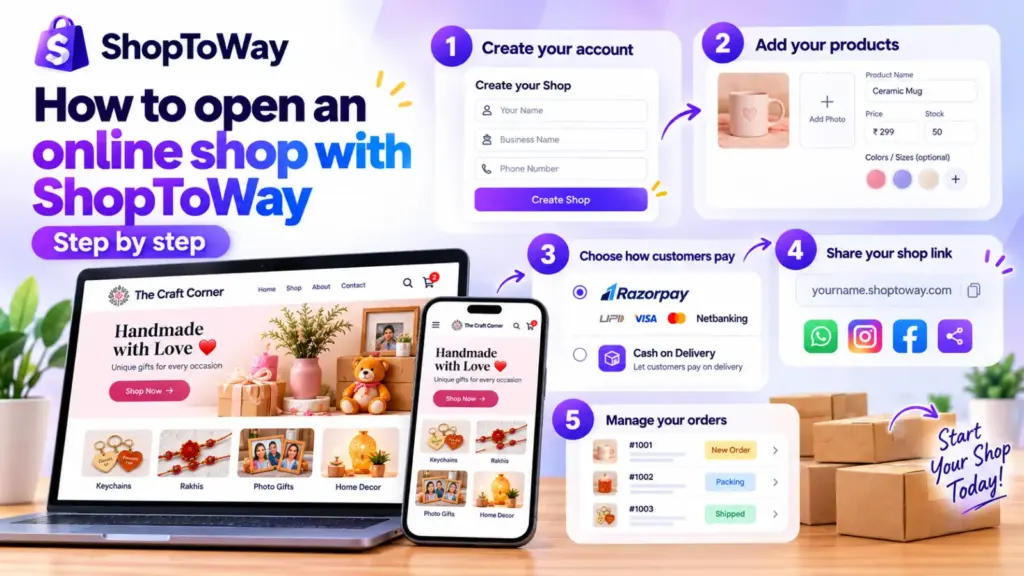
Opening an online store doesn’t have to be complicated. Here is how to set one up with ShopToWay, step by step.
1. Create your account
Go to the sign-up page, enter your name, your business name and your phone number. Your shop is created straight away.
2. Add your products
For each product, add a photo, a name, a price and the stock you have. If the product comes in colours or sizes, add those too, and set stock for each one. Leave the stock empty if you never run out.
3. Choose how customers pay
Turn on cash on delivery, or connect your Razorpay account to take UPI, card and netbanking payments.
4. Share your shop link
Share your shop link on WhatsApp and Instagram. Customers can browse, add to their cart and place an order from their phone.
5. Manage your orders
New orders appear in your dashboard, where you can update their status as you pack and deliver them.
Ready to start? Create your free shop.